Note: To respect confidentiality, the customer and the 3PL partner are unnamed. A few LTL carriers such as XPO and Estes are referenced for context.
Why this project exists
A national distributor needed a practical way to reduce LTL freight spending and to give warehouse operators one place to ship orders. Their previous tools were fragmented, and the rate results were difficult to interpret. Consequently, managers struggled to verify whether the team was actually selecting the lowest viable option. Dynamisoft Shipping addresses that need with a single workflow that spans LTL and company trucks, while remaining fully on-prem for compliance.
Project snapshot
The application runs at roughly twenty branches across the United States. The customer has better visibility into whether operators select the lowest available rate. The goal was straightforward: reduce cost, simplify day-to-day shipping, and keep data inside the private network. The implementation uses .NET throughout, with SQL Server for persistence and Windows Services for background work.
System overview
At a high level, the ERP provides orders, customers, and warehouses. A Synchronizer service ingests updates, validates them, and writes the data into SQL Server. ASP.NET Core APIs expose this data to a Blazor WebAssembly UI used on the warehouse floor. Behind those APIs is a Shipping Services framework that standardizes rating and shipping so that new providers can be implemented with minimal code.
As of writing this, there are two service implementations: an LTL service that calls a 3PL partner to reach carriers like XPO and Estes, and a Company Truck service that uses branch-specific truck rates defined by admins. After shipment creation, a post-ship module updates the ERP with tracking, freight cost, and customer price, and triggers an order status update in a separate notification tool.
Shipping workflow
The operator experience follows a short, predictable path.
-
Order screen
By default, the order number field is focused so users can scan immediately. Advanced search is available and respects branch scopes and permissions. The list uses server-side pagination with infinite scrolling to keep the UI responsive.
-
Package details
Operators set pickup date and window, choose accessorials such as liftgate or appointment, and enter handling units. Hazmat items can be selected from a catalog.
-
Rate shop
Rate results appear in ascending order. If an operator does not pick the cheapest option, a brief reason code prompt captures why. The decision is recorded for audit and analytics.
-
Confirm
The system shows a summary of the shipment inputs. Creation runs as a sensitive step, and the UI prevents accidental double submits while processing completes.
-
Ship and print
After the shipment is processed, the user can preview and print the Bill of Lading as well as the ZPL labels.
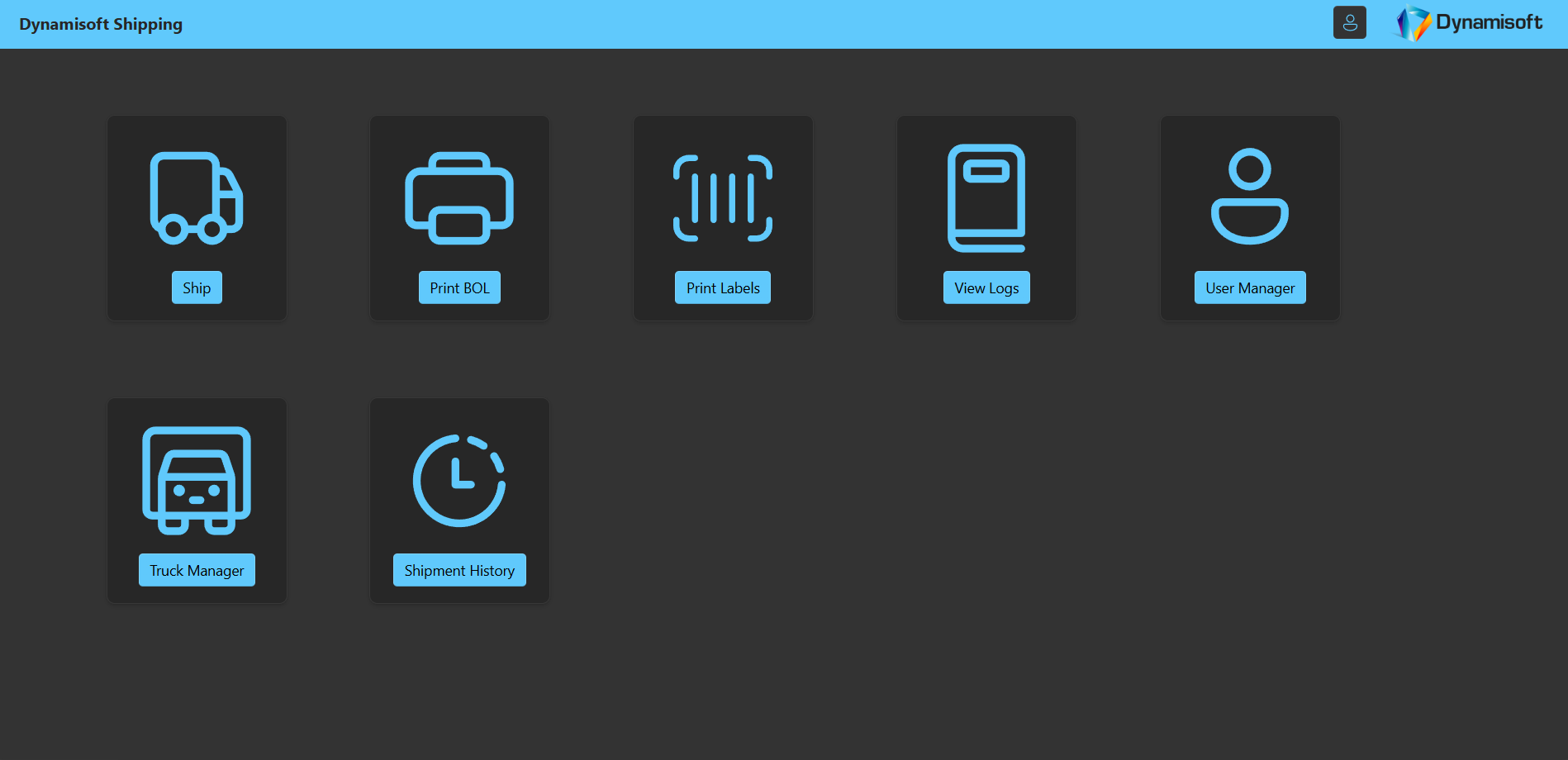
The following images illustrate the main shipping workflow from order search to label printing. Note: Diana White is not a real person and all real sensitive information has been redacted.
Impact
The customer reports material savings on LTL, due in large part to the rate cost auditing and cost minimization incentives built into the business processes. Adoption spans about twenty branches from the West Coast to the East Coast of the US. More importantly, managers now have transparency. Because the system records when the cheapest rate is not selected and why, they can notice trends, talk with teams, and improve adherence to cost-saving choices.
Engineering challenges and solutions
Evolving 3PL API
Early versions of the partner API had incomplete validation and occasional missing fields. I documented the edge cases, added defensive schemas and sensible defaults in our adapter, and worked with the 3PL engineers to close gaps. Retries and timeouts protect the operator experience without hiding upstream problems.
ERP data quality and sync performance
Order and address data were inconsistent. I built normalization filters with regular expressions and rule checks, and surfaced clear warnings and errors in a live log so that managers could correct source data quickly. To keep synchronization fast, I narrowed queries to orders in shippable statuses and to records changed recently, while still catching older orders that were just updated.
Scope-aware order queries
The order screen needed to show exact totals based on each user’s branch scopes. I implemented server-side pagination and infinite scrolling that honor permissions and always return the correct total count, which keeps the UX smooth and the access rules precise.
My role
I was the primary engineer responsible for the end-to-end delivery of this application, including the Blazor UI, ASP.NET Core APIs, data synchronization, the modular shipping services framework, carrier integrations, logging, label and BOL templates, and on-prem deployment as Windows Services. A colleague built the USB scale utility, and my supervisor provided the ERP order updater library that posts tracking and cost back to the ERP. I integrated both into the overall flow and handled orchestration and error handling.
Tech stack and deployment
Frontend
Blazor WebAssembly
Backend
ASP.NET Core Web APIs with a shared Shipping Services framework
Data & Ops
SQL Server; Windows Services on private servers with VPN access
Extensibility
Because rating and shipping follow one interface, new carriers can be added with focused implementations rather than copy-paste work. Shared logging, audit hooks, and error handling come for free. Therefore the platform can grow with the customer’s needs.
Closing note
Thank you for reading. My goal with Dynamisoft Shipping was to combine reliable engineering with operator-first design. If you would like to reach out to me, please use the contact form here.